Start a maintenance operation
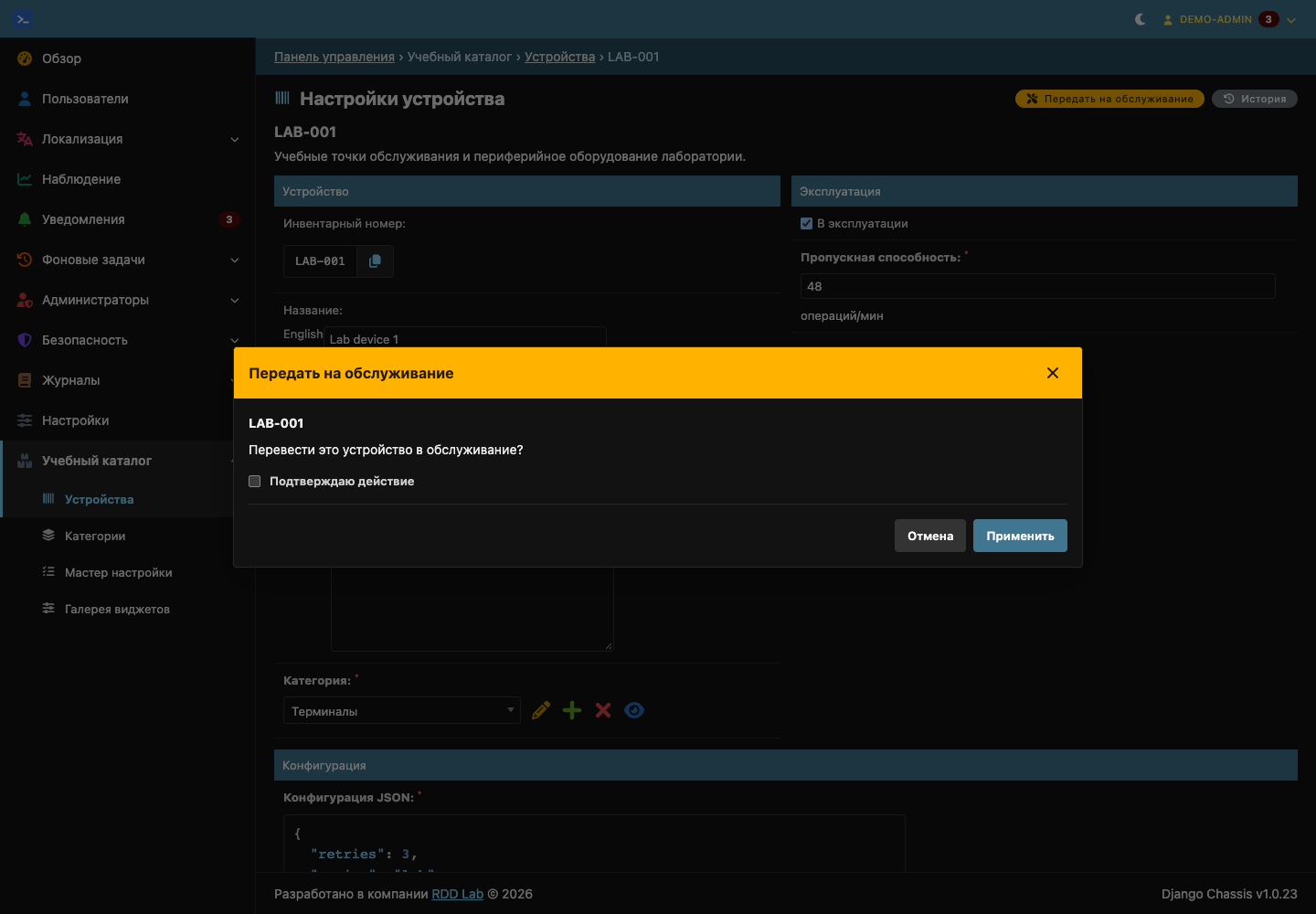
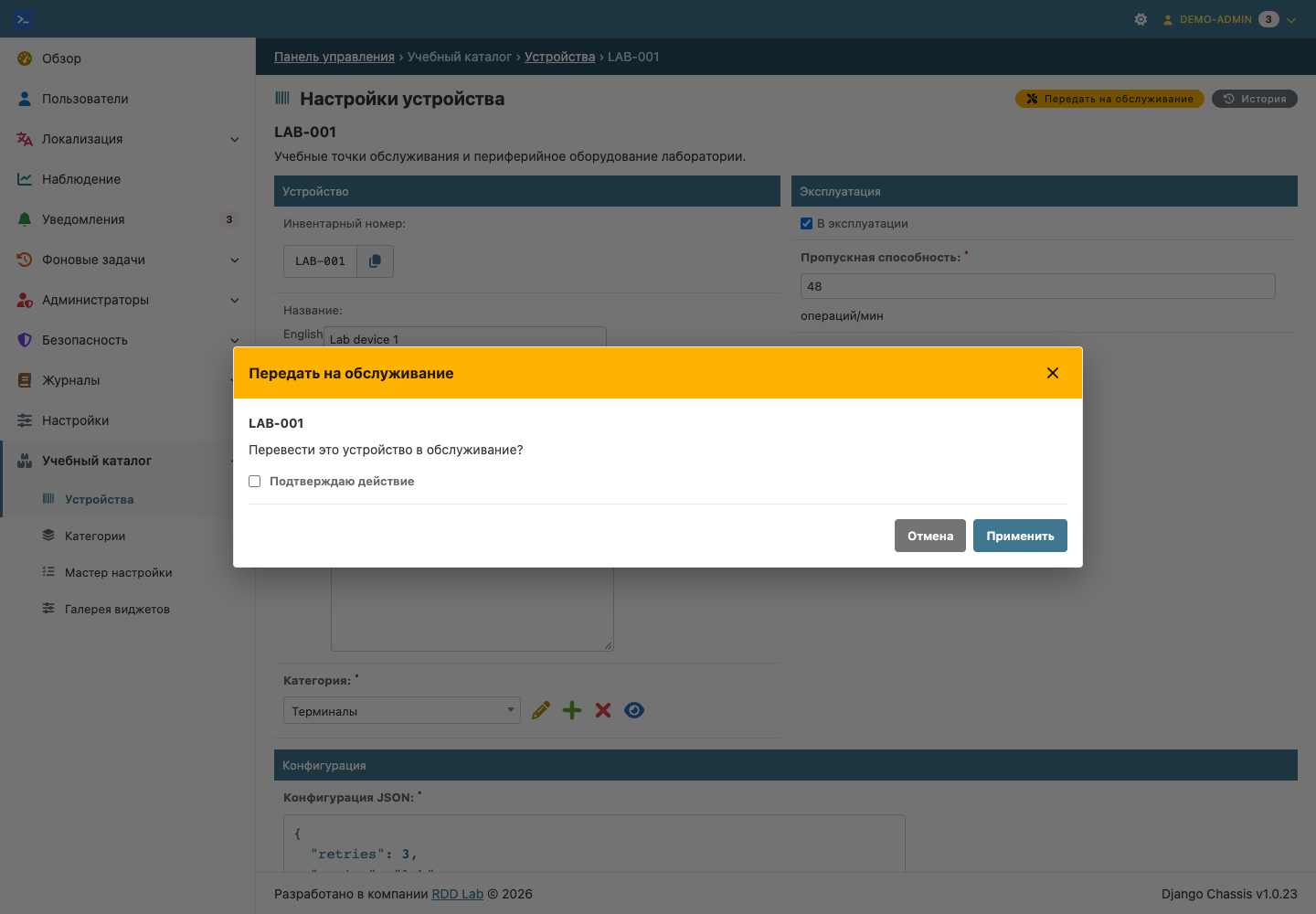
Drag the divider or use the arrow keys to compare themes.
Django Chassis 1.0.23 · training site with Russian UI
- The object action opens a separate confirmation with its operation title.
- Confirm the action before the device status changes.
How to add it
Add the action and ObjectActionsOption inside DeviceAdmin in catalog_demo/admins/device_admin.py. The GET handler renders the confirmation fragment. A confirmed POST changes the device and redirects the modal to the device form.
from django.contrib.admin import ModelAdmin
from django.core.exceptions import PermissionDenied
from django.http import HttpResponseNotAllowed, HttpResponseRedirect
from django.template.response import TemplateResponse
from django.urls import reverse
from django_chassis.components import AdminModal
from django_chassis.decorators import object_action
from django_chassis.enums import ButtonColor
from django_chassis.mixins import ChassisAdminMixin
from django_chassis.options import ObjectActionsOption

class DeviceAdmin(ChassisAdminMixin, ModelAdmin):
    options = [ObjectActionsOption(actions=['schedule_maintenance'])]

    @object_action(
        description='Передать на обслуживание', permission='change',
        color=ButtonColor.WARNING, opens_modal=True,
    )
    def schedule_maintenance(self, request, obj):
        if request.method == 'GET':
            return TemplateResponse(request, 'admin/chassis/users/security_confirmation.html', {
                'chassis_modal': {'title': 'Передать на обслуживание'},
                'confirmation_object': obj.code,
                'confirmation_message': 'Перевести это устройство в обслуживание?',
            })
        if request.method != 'POST':
            return HttpResponseNotAllowed(['GET', 'POST'])
        if request.POST.get('confirm') != 'yes':
            raise PermissionDenied

        obj.active = False
        obj.save(update_fields=['active'])
        url = reverse(f'{self.admin_site.name}:catalog_demo_device_change', args=[obj.pk])
        if request.headers.get('X-Chassis-Modal') == '1':
            return AdminModal.redirect(url)
        return HttpResponseRedirect(url)
Sign in with the device change permission. Confirm the action and check that the In operation checkbox is cleared.