Value and selection widgets
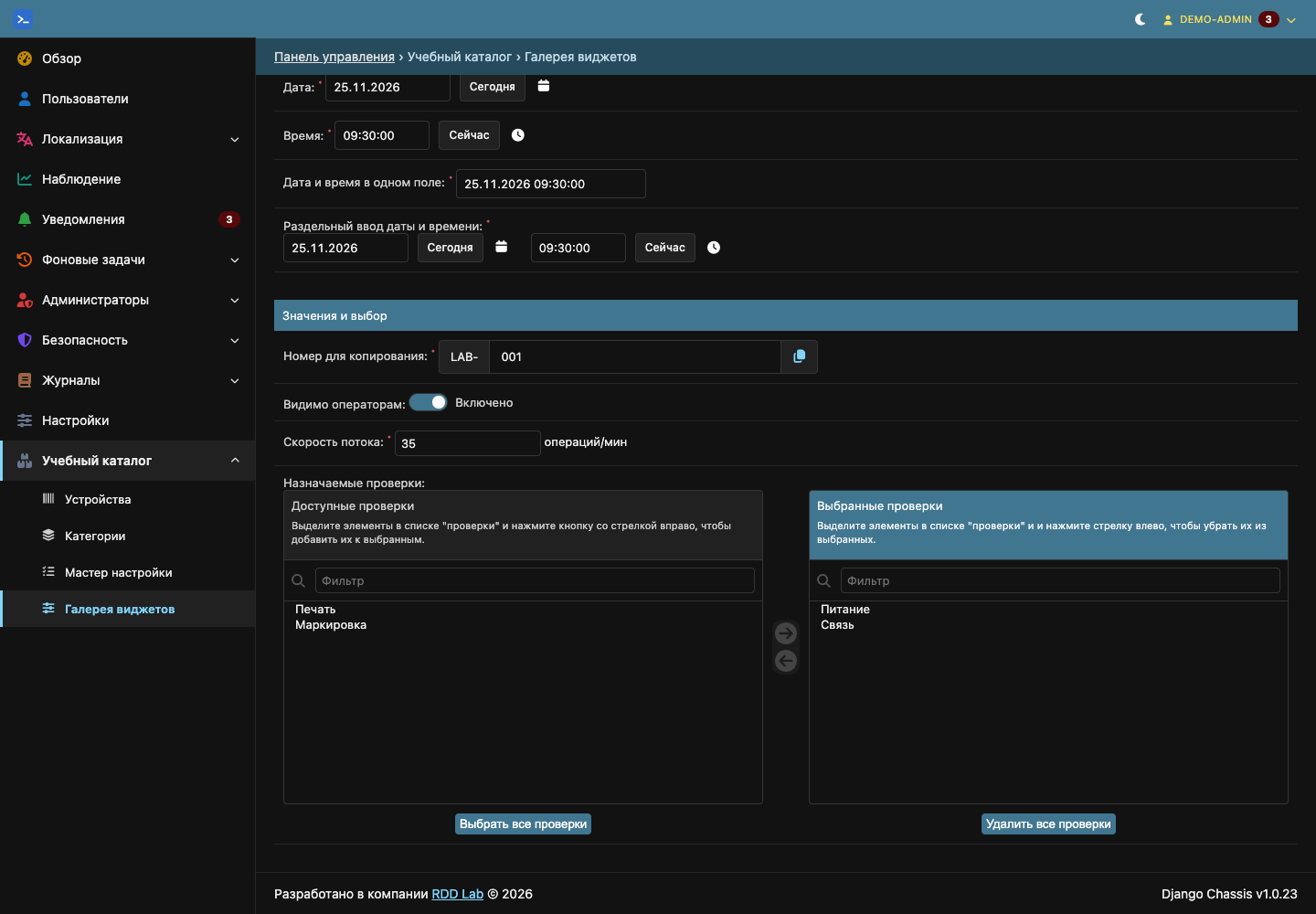
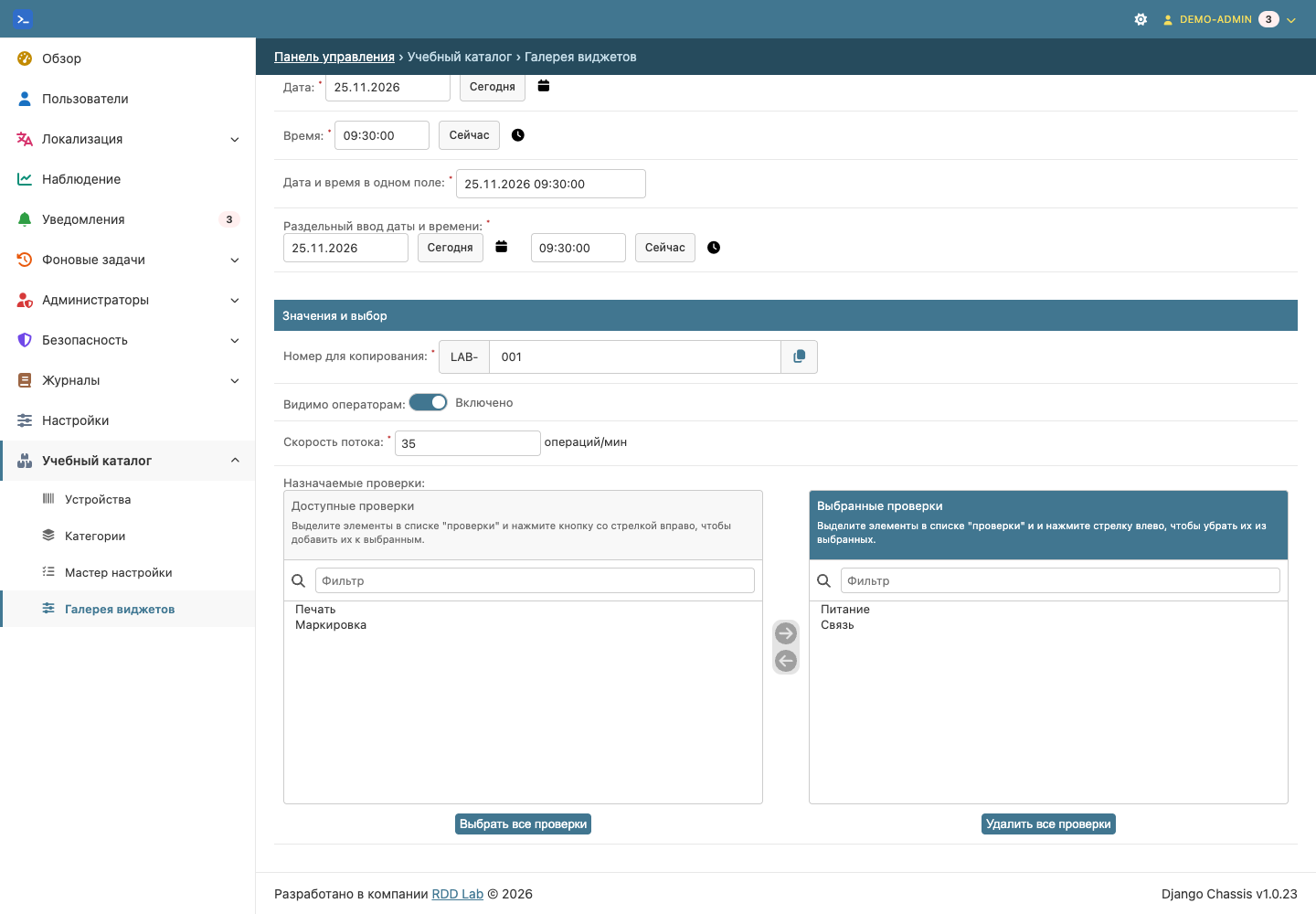
Drag the divider or use the arrow keys to compare themes.
Django Chassis 1.0.23 · training site with Russian UI
- Copy a value together with its visible prefix
- Change a typed boolean value with the switch
- See the unit beside an integer input
- Move available choices to the selected list
How to add it
Add these fields to the WidgetGalleryForm in catalog_demo/widget_gallery_form.py. In its Admin template, render the fields inside a form and load admin/css/widgets.css, the Admin JavaScript catalog, and {{ gallery.media }} so the two-list selector can initialize.
from django import forms
from django_chassis.widgets import BooleanChoiceSwitch, CopyableTextInput, TransferSelect, UnitInput

class WidgetGalleryForm(forms.Form):
    code = forms.CharField(initial='001', widget=CopyableTextInput(prefix='LAB-'))
    enabled = forms.TypedChoiceField(
        choices=[(True, 'Да'), (False, 'Нет')], initial=True,
        coerce=lambda value: value == 'True', widget=BooleanChoiceSwitch(),
    )
    quota = forms.IntegerField(initial=35, widget=UnitInput('операций/мин'))
    checkpoints = forms.MultipleChoiceField(
        choices=[('power', 'Питание'), ('network', 'Связь'), ('print', 'Печать')],
        initial=['power'], widget=TransferSelect(verbose_name='проверки'),
    )
Try copying LAB-001, toggling the switch and moving a choice. In the form data, the code field still contains 001.