Browse and edit related checks
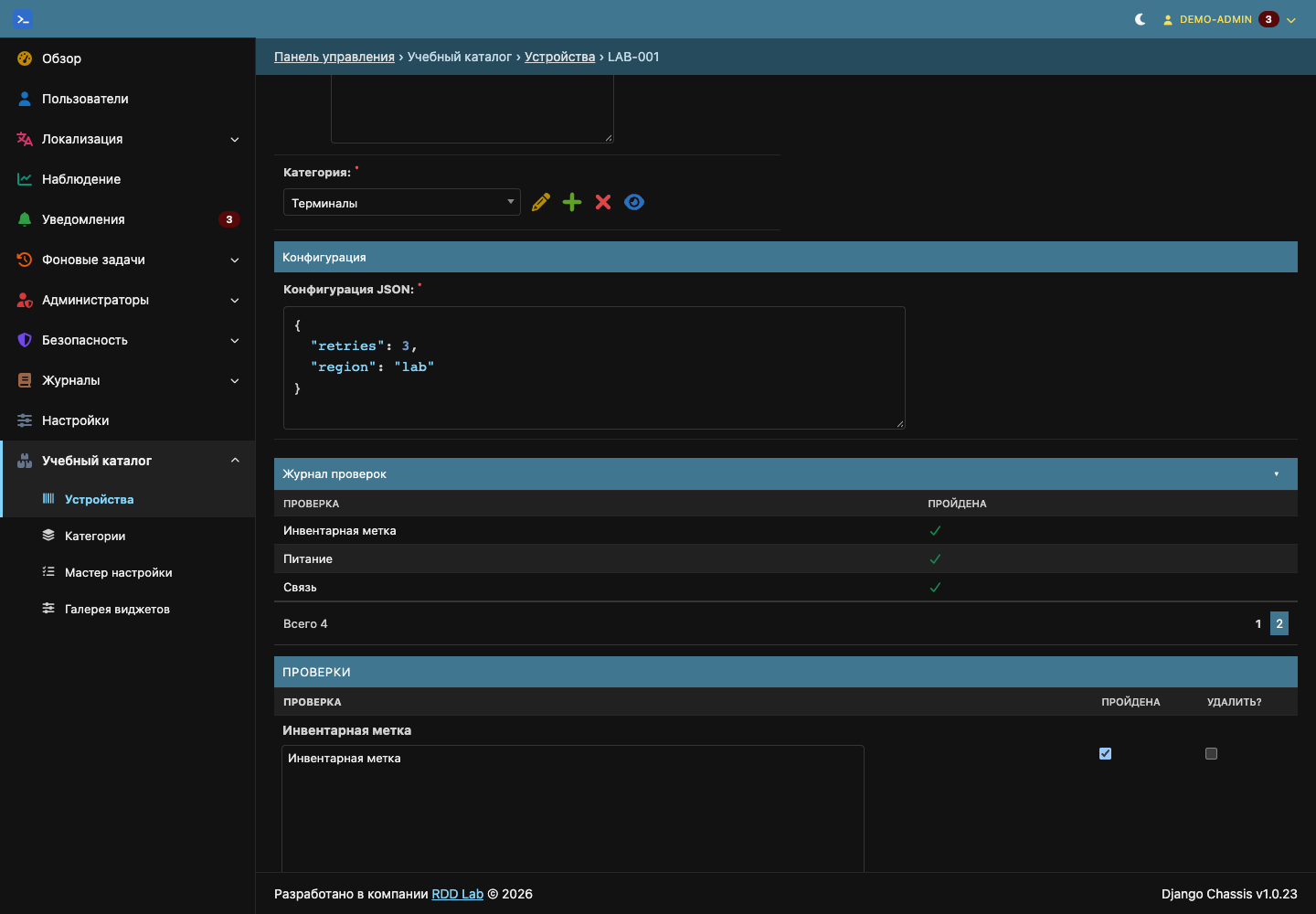
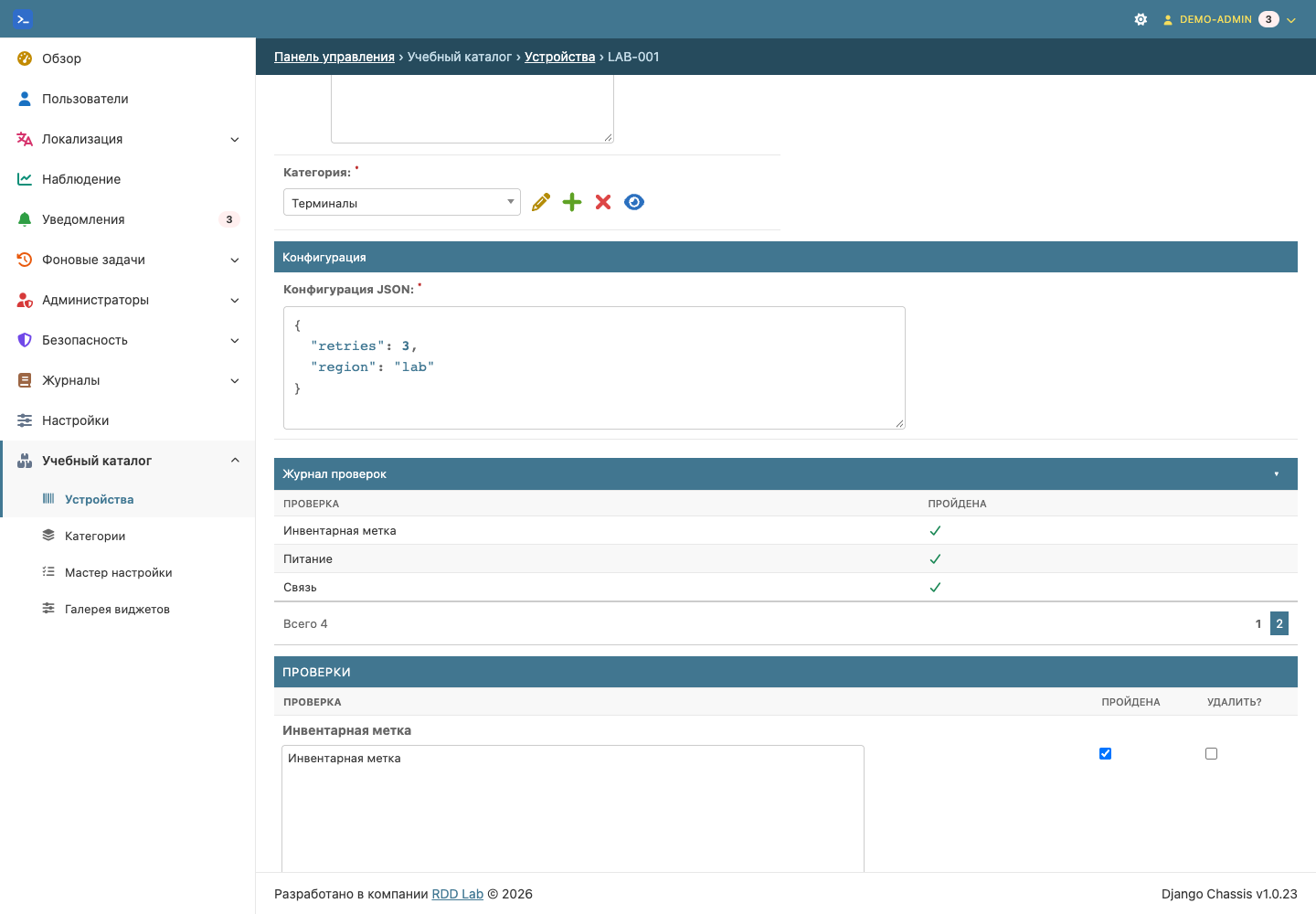
Drag the divider or use the arrow keys to compare themes.
Django Chassis 1.0.23 · training site with Russian UI
- The related table has independent pagination.
- The inline editor changes the title and the completion state of each check.
How to add it
In catalog_demo/admins/device_admin.py, add these two options and the decorated provider inside DeviceAdmin. The Checkpoint.device foreign key in catalog_demo/models/checkpoint.py must have related_name="checkpoints". The first option configures the editor and the second displays a paginated table.
from django.contrib.admin import ModelAdmin
from django_chassis.decorators import chassis_related_items
from django_chassis.mixins import ChassisAdminMixin
from django_chassis.options import (
    RelatedCollectionOption, RelatedCollectionsOption, RelatedEntitiesOption,
    RelatedEntityOption, TableColumnOption, TableOption,
)

from catalog_demo.models import Checkpoint

class DeviceAdmin(ChassisAdminMixin, ModelAdmin):
    options = [
        RelatedCollectionsOption(collections=[
            RelatedCollectionOption(
                model=Checkpoint, foreign_key='device', fields=['title', 'is_complete'],
            ),
        ]),
        RelatedEntitiesOption(sections=[
            RelatedEntityOption(
                slug='checks', title='Журнал проверок', get_items_method='get_checkpoints',
                page_size=3, table=TableOption(columns=[
                    TableColumnOption(field='title', label='Проверка'),
                    TableColumnOption(field='is_complete', label='Пройдена'),
                ]),
            ),
        ]),
    ]

    @classmethod
    @chassis_related_items
    def get_checkpoints(cls, request, obj):
        return obj.checkpoints.all()
Open a device with at least four checks to see the second table page. Edit a row in the embedded form and save the device.