Open GlobalConfig
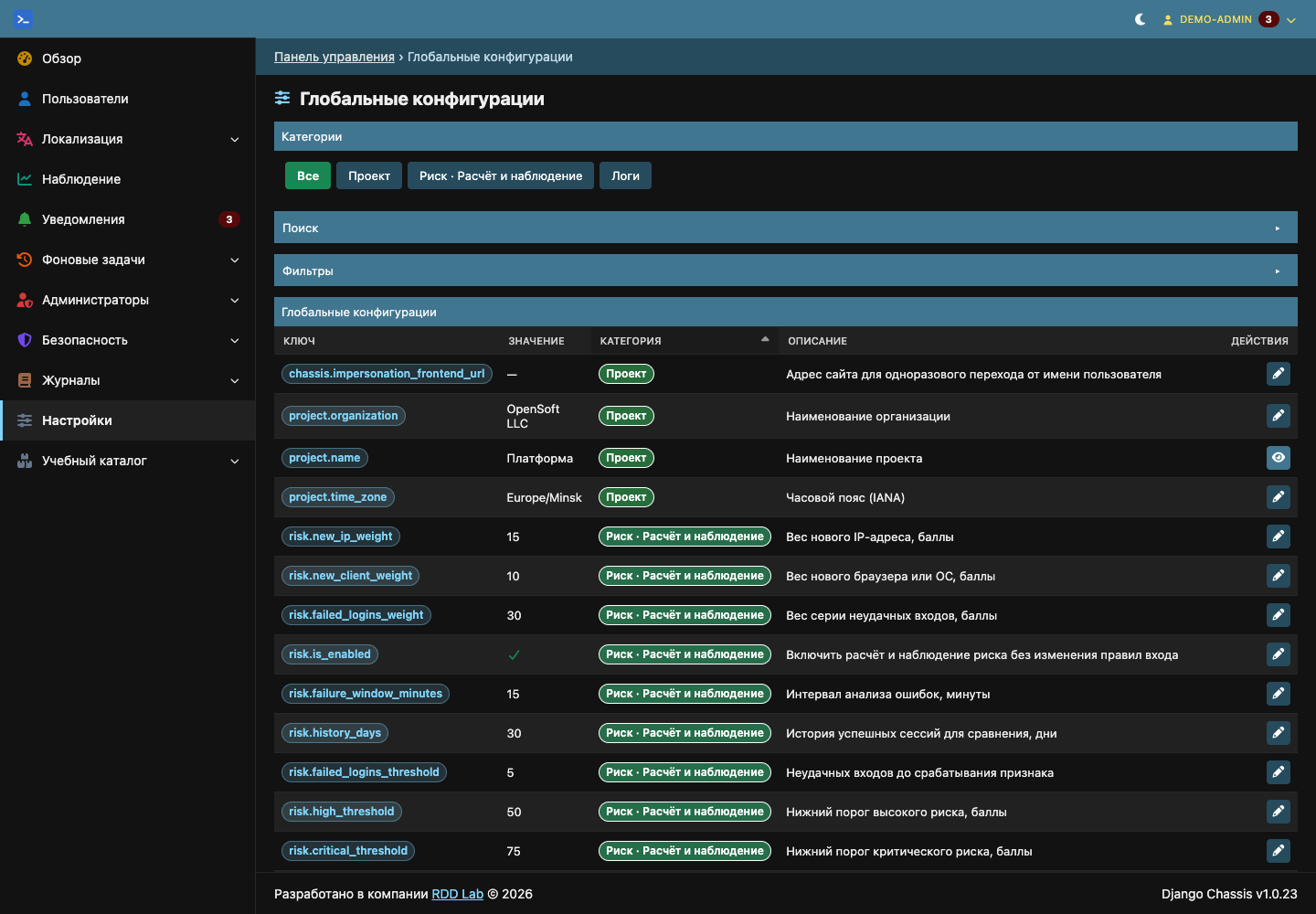
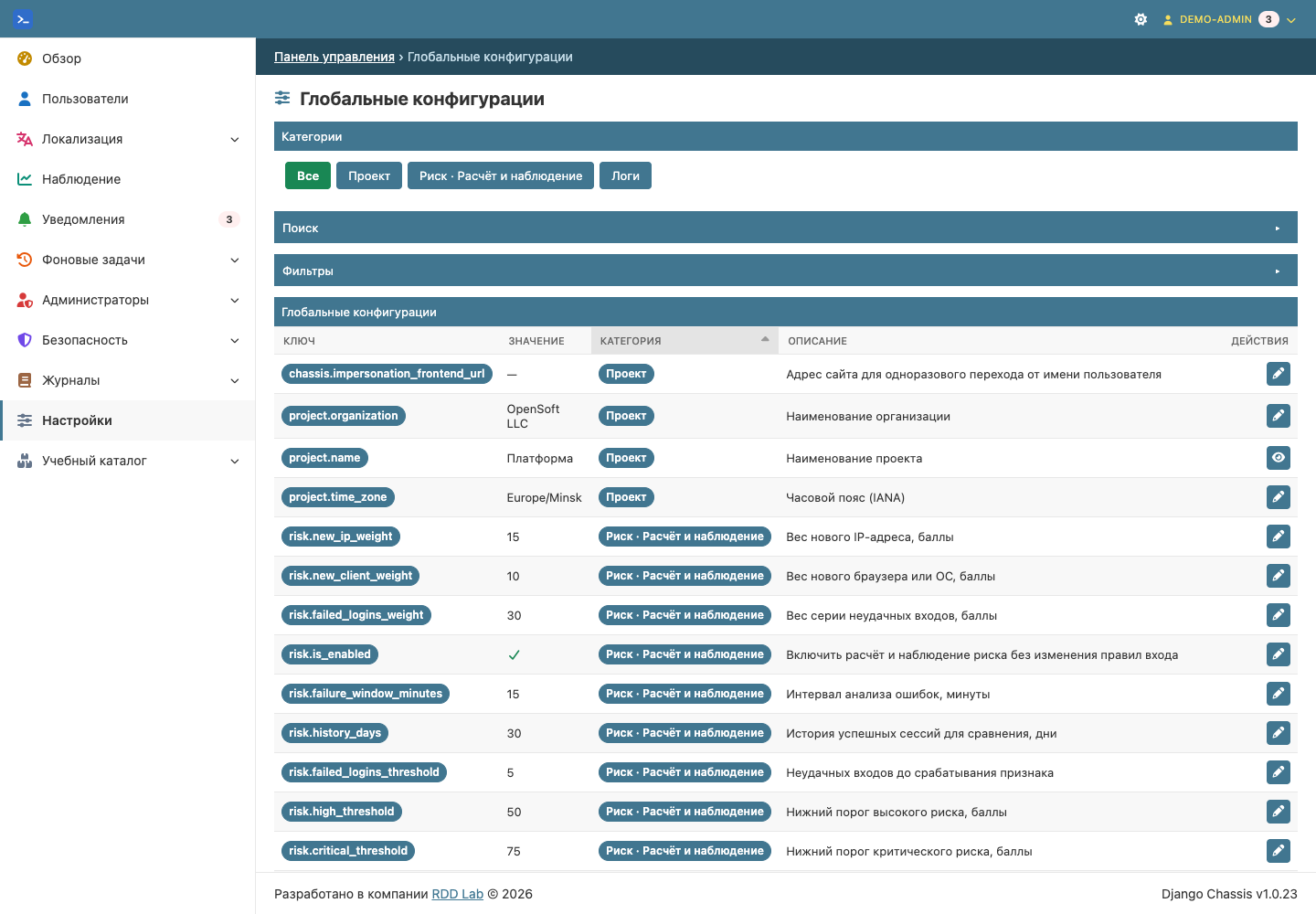
Drag the divider or use the arrow keys to compare themes.
Django Chassis 1.0.23 · training site with Russian UI
- Category tabs narrow the editable settings catalog.
- Filters refine the result by additional setting properties.
- The table shows public metadata and the row actions the operator can use.
How to add it
Install the global-config extra of Django Chassis with Django-GC 1.1.6 or newer and add django_gc in src/server/settings/apps.py. Keep django_chassis before django.contrib.admin. In src/server/settings/global_config.py, declare the category and the demo's organization setting. If those lists already contain entries, add these declarations to the existing lists and use the ID of your project category.
from django_gc import CategoryDefinition, SettingDefinition, SettingType

GLOBAL_CONFIG_CATEGORIES = [CategoryDefinition(id=1, code='project', name='Project')]
GLOBAL_CONFIG_DEFINITIONS = [
    SettingDefinition(
        key='project.organization',
        description='Organization name',
        default_value='OpenSoft LLC',
        value_type=SettingType.STRING,
        category_id=1
    )
]
In src/apps/admins/apps.py, register Django-GC's model and admin inside AdminsConfig.ready(), importing admin_site from apps.admins.site. Chassis configures the category tabs, filters and row actions on that site.
from django_gc.admins import GlobalConfigAdmin
from django_gc.models import GlobalConfig

from apps.admins.site import admin_site

admin_site.register(GlobalConfig, GlobalConfigAdmin)
uv run python src/manage.py migrate
uv run python src/manage.py initialize_global_configs
Grant django_gc.view_globalconfig, then open /admin/django_gc/globalconfig/. Select Project and verify that project.organization appears. For the Settings link shown in the demo, import SETTINGS_SIDEBAR_LINK from django_chassis.sidebar in src/apps/admins/sidebars.py and include it in the site's sidebar_items.